Real photos for a local business: what to shoot and skip
People pick a dentist, a dentist, or a contractor from a phone screen, and the photos do most of the talking. Here's what to shoot, what to leave out, and how to keep the pictures true once they're up.

Open your own website on your phone and look at the first picture. Is it your shop? Your chair, your counter, your van, your hands? Or is it a smiling stranger in a bright room that could be anywhere? Most local business sites open with the stranger, not because owners don't care, but because real photos feel like a project and the stock picture was free. This guide makes the project small: what to shoot, how to light it, what to skip, where the pictures go, and a shot list you can hand to a cousin with a decent phone. It works for a dental office, a restaurant, a dental office, a contractor, a tax office, and most everything in between.
Why a real photo beats a stock photo
A stock photo is a picture of a business that isn't yours. The customer may not be able to say why the site feels off, but they feel it, and then they walk in and the room doesn't match. That gap is small, but trust is built from small things, and it's the first thing you've shown them that wasn't true. A real photo does the opposite job. It says: this is the actual place, this is the actual person who'll cut your hair or look at your teeth or fix your roof, and it looks like this on a normal Tuesday.
Real photos also do quiet work you don't see. When someone searches for a dentist near them, Google shows a map with a few businesses and their photos right next to the names. A storefront picture helps the customer recognize you from the sidewalk. A picture of the inside answers the question they're really asking, which is "will I feel comfortable there." A picture of your work answers the next one, which is "are they any good." Stock images can't answer any of those, because they're not about you.
A stock photo is a picture of a business that isn't yours.
What a 90-minute visit should capture
You don't need a hundred pictures. You need about fifteen good ones, and they fall into six groups. One or two strong shots from each group covers you for a year.
- The owner. One clear, relaxed picture of you, in your place, doing nothing in particular. Not posed with arms crossed, not holding a tool up like a trophy. Standing at your counter, leaning in the doorway, sitting in your own chair. Look at the camera for one shot and away from it for another; the away shot is often the better one.
- The room. Stand in the doorway and take the widest picture you can of the space as a customer first sees it. Then one from the back looking toward the door. Clear the counter, put the mop away, turn off the TV. This picture tells someone whether they'll feel at ease walking in.
- The work. The one most owners skip and the one customers care about most. A hygienist mid-appointment with a real client. A dentist's gloved hands at the chair. A contractor's finished bathroom with the tape still on the floor. A tax preparer at the desk with a client across from them, papers in view, faces optional. Show the thing people are paying for, being done.
- The details. Get close. The row of clippers. The jars of combs in blue liquid. The espresso handle worn smooth. The tool belt. The stack of folders with the year on them. Detail shots make a site feel like a real place instead of a floor plan, and they're the easiest pictures to take well.
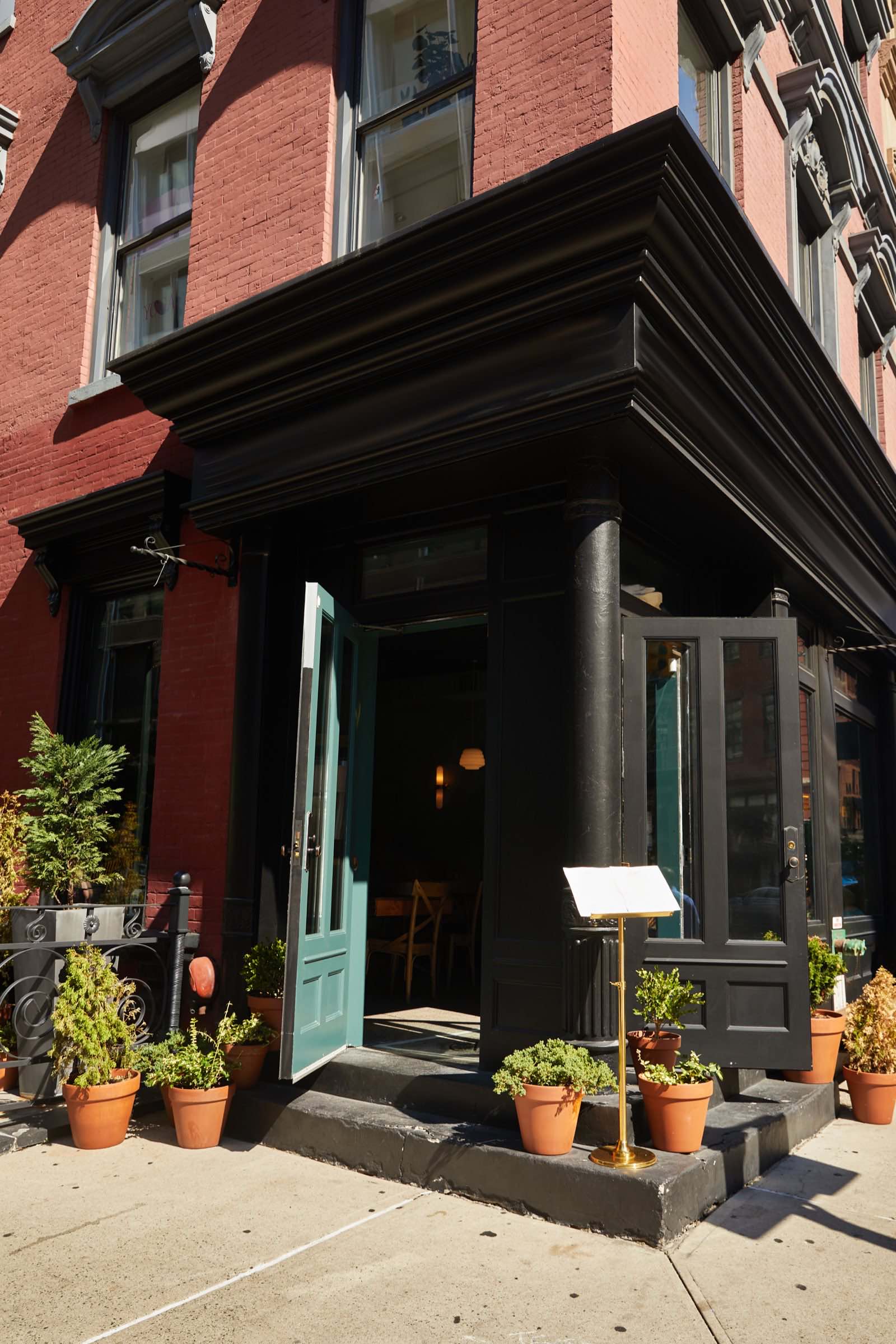
- The sign. Your sign from across the street, with a bit of the block in it, so someone can find you. Then one straight-on picture of the front door with the hours visible if they're posted. If the sign is faded or half lit, it's still your sign; shoot it anyway and fix the sign later.
- The team. One picture of everyone who'd be there on a busy day, standing where they actually work, not lined up against a wall. If people are shy, take it while they're working and half looking up. A team a little bit caught off guard almost always beats a team smiling on command.
Ninety minutes is enough for all six if the shop is ready when the camera shows up: counters cleared, the good lights on and the bad lights off, and one or two willing customers or staff who've already said yes. If you spend the first half hour tidying, you've spent the good light on a broom.
Phone or a real camera
A recent phone is enough for most of what a local business needs. The pictures go on a website, a Google listing, and Instagram, and every one of those shrinks the image down to a phone screen anyway. What a phone can't fake is light and stillness, so the rules that matter are about those, not the gear.
- Wipe the lens. Your phone lives in a pocket. A smear of thumb oil makes everything foggy, and it's the most common reason a phone photo looks like a phone photo. Use your shirt, before every group of shots.
- Hold still and take five. Brace an elbow on something. Take five of every shot and keep one.
- Don't zoom with your fingers. Pinching in throws away sharpness. Walk closer instead.
- Skip portrait mode for rooms and work. The blurry-background effect is fine for a face and looks fake on a countertop or a set of tools.
- Shoot in the normal photo mode, not a filter. You can always adjust later. A filter baked in at the start can't be undone.
A real camera earns its place in three situations: a dark room where the overhead lights can't go off, a big space like a restaurant floor or a garage bay, and anything you plan to print large, like a banner. If none of those apply, shoot with the phone.
Light: the window is your best friend
If you remember one thing from this guide, make it this. Turn off the overhead lights and stand near a window. Almost every bad picture of a small business is bad because of ceiling panels. They light the top of everyone's head, put shadows under the eyes, and turn skin green or orange depending on the bulb. Window light comes from the side, wraps around a face, and makes a room look like it does when you're actually standing in it.
Here's the routine. Pick the window with the most light that isn't direct sun; if the sun is pouring straight in, wait an hour or use the other side of the shop. Put the person, or the plate, or the tool, about an arm's length from the window, with the window off to one side rather than behind them. Turn off the ceiling lights near it. Then shoot from a spot where the window is beside you, not behind you and not in front of you.
Mid-morning to early afternoon usually works best. A cloudy day is a gift, not a problem; clouds are a giant softbox. And never use the flash on a phone. It flattens faces, bounces off every shiny surface, and makes food look like it's sweating.
If the space has no useful window, a dental office at the back of a building, say, open the front door wide and shoot near it, or turn on every lamp you own so the light comes from more than one direction.
What to skip
- The empty waiting room. Nobody wants to look at chairs. If you must show it, show it with a person in it reading something.
- The group shot against a wall. Six people in a row with their hands folded looks like a lineup. Shoot the team where they work.
- Anything with the flash on. It never helps.
- The messy corner you'd apologize for in person. If you'd say "don't mind that" to a customer, don't put it on the website. Clean it or shoot in another direction.
- Pictures of your computer screen. Especially for a tax office, a dental practice, or anyone who handles private information. A screen in the background can show a name or a number you never meant to publish. Turn monitors off or angle them away.
- Faces of people who didn't say yes. A customer in the background is still a customer in your marketing. Ask first or shoot around them.
- Fifty near-identical shots. Pick the one. Too many pictures make a page slow.
Where the photos actually go
One set of fifteen pictures does many jobs.
The website. The room picture goes at the top of the home page, because it answers "what is this place" in one glance. The owner picture goes on the about page with a few plain sentences. The work pictures go on the services page, next to the service they show. The details fill in anywhere a page feels bare. When we build a site, we plan these slots before we shoot, so nothing gets taken that doesn't have a home; you can see how that fits together on the website page.
Google Business Profile. Upload the sign and storefront first, then the room, then the work. These are the pictures people see before they've reached your site, right on the map. Add a few, not all, and add a new one every month or two so the profile looks alive.
Instagram. The detail shots and the work shots do best here. One post a week from the set, with two plain sentences, keeps the account breathing without anyone having to become a content creator.
The menu. If you run a restaurant, the three best sellers shot by the window are the most valuable pictures you own. They go beside the dishes on the online menu, on the profile, and on the wall by the register if you print them.
The review reply. Here's one people miss. When someone leaves a review that mentions the new chairs, or the finished kitchen, or how clean the office was, reply and point to the picture: "Thanks so much, and that's the room you're describing, right at the top of our site." It turns a review into a reason for the next reader to click through.
Turn off the overhead lights and stand near a window.
How often to refresh
Photos age in two ways: the place changes, or the season changes. The rule that covers both is simple. Refresh the storefront and team pictures about once a year, and refresh anything that changed the week it changed. A new chair, a repainted wall, a new hire, a new van with your name on the side: those get a picture right away, because the old picture is now a small lie.
Seasons matter more than owners expect. A storefront with snow on the awning looks strange in July, and a patio full of summer diners is a sad thing to look at in February. If you have an outdoor side, shoot it twice a year and swap it. The work and the details inside can go two or three years before anyone notices.
Tie it to something you already do, like changing the clocks or year-end paperwork: walk the shop with your phone, take the six groups again, and send them to whoever runs the site the same day.
A shot list you can hand to anyone
Screenshot this and give it to whoever is holding the phone. It's the whole visit in order, with the light rules built in.
- Wipe the lens. Turn off the overhead lights near the window. Open the blinds.
- Outside: the sign from across the street, with some of the block in it. Then the front door straight on.
- Inside from the door: the widest shot of the room. Then the same from the back looking toward the door.
- The owner near the window: one looking at the camera, one looking at their work, one laughing at something someone said.
- The work being done: three or four shots, from the side, hands and tools in frame, faces only if they've said yes.
- The details: five to eight close shots of the objects that make the place yours.
- The team where they work: one wide, one closer, both while they're doing something.
- For a restaurant: three best sellers, at the table nearest the window, from about a 45-degree angle, rim of the plate wiped.
- For a contractor: the finished job from the doorway, one detail of the tile or the fixture, then the van.
- Before leaving: check every shot for a computer screen, a stray face, or a mess in the corner. Reshoot those now, not next week.
Suppose you run a two-chair dental office. Ten minutes outside for the sign, twenty inside for the room and the owner by the front window, thirty with a regular in the chair, fifteen for the clippers and the price board, and the last fifteen for the two of you where you stand, plus a check of everything on the phone. That's the ninety minutes.
Getting permission from staff and customers
This is the part that makes owners nervous, and it's simpler than it feels. Ask before you shoot, say where the pictures will go, and write down who said yes.
For staff, ask a few days before, not the morning of, so nobody feels ambushed. Say it plainly: "We're taking pictures for the website and Google on Thursday. I'd like you in some of them. It's fine to say no." Keep a short note, even a text, of who agreed. If someone leaves the business later, take their picture down within a month; it's the decent thing and it keeps the site honest.
For customers, ask the regulars, in person, before the camera comes out. "We're shooting some photos for the site, would you be okay being in one? You can see it first." Most say yes and are a little flattered. Anyone who hesitates gets a cheerful "no problem" and the camera points elsewhere. For a dental office or a tax office, the work shots can show hands and paperwork and the back of a head without anyone's face, which sidesteps the question entirely.
For anyone under eighteen, ask the parent, and if in doubt, leave them out. If anyone later asks you to take a picture down, do it the same day. It's their face.
If you would rather someone else held the camera, that is the photo visit: 90 minutes at your business, the six groups above, and 15 edited photos back. It is inside the $1,200 setup fee, not a separate line, so there is nothing extra to budget for. Either way, the shot list above is yours to keep, and a cousin with a clean lens and a window can get you most of the way there.
- A stock photo shows a business that isn't yours; the customer notices the moment they walk in, and the gap costs trust.
- Six things cover almost every local business: the owner, the room, the work, the details, the sign, and the team.
- A recent phone is enough if you turn off the overhead lights, stand near a window, and wipe the lens first.
- Skip the empty waiting room, the flash, the group shot lined up against a wall, and anything you wouldn't want a customer to see in person.
- One good set feeds the website, the Google Business Profile, Instagram, the menu, and even your review replies.
- Refresh the storefront and team photos about once a year, and anything that changed the week it changed.
- Ask staff and customers before you shoot, keep a note of who said yes, and never post a face that said no.
Want this handled for you? The first call is free, 15 minutes, and useful even if you never hire us.
Book a free website checkFounder of RamGrows Studio on Brighton Beach Avenue. Grows local businesses with AI doing the slow part and people doing the judgment. Everything here is what we say on the phone, written down.


